
Health Bar Roblox GUI Template with Tweened Damage Feedback
A compact health bar with tweened fill, damage flash, and low-health pulse. Works for any humanoid. This template provides a responsive, animated health bar that tracks player health with smooth fill animations, visual damage feedback with screen flash effects, and an urgent pulsing animation when health drops below a critical threshold. Designed with a cartoon aesthetic optimized for mobile devices.
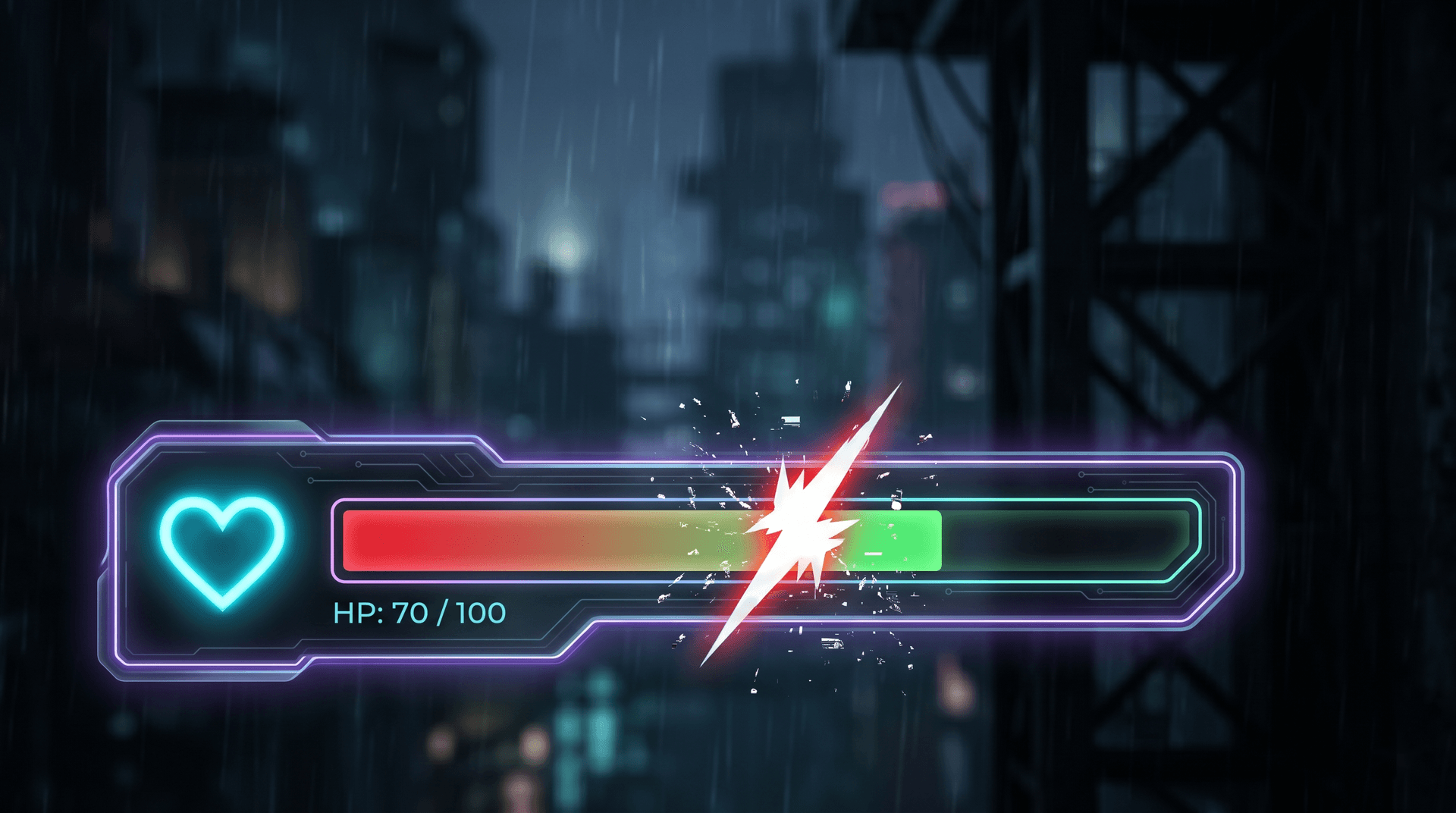
Live preview
Health Bar
1920×1080Includes real, production-ready Luau logic — not a static mockup.
What's inside
- • Tweened health fill
- • Damage flash effect
- • Low-health pulse warning
- • Humanoid.Health changed binding
- • Mobile-safe size
How to use this template
The Health Bar template tracks a Humanoid's health with a tweened fill animation. Paste the client Luau into StarterGui and the bar appears, bound to the local player's Humanoid. When health changes, the fill animates to the new ratio using TweenService, and a damage flash plays when the player takes a hit. Below 25% health, the bar pulses red to signal danger. The layout uses Scale-based sizing anchored to the bottom of the screen, so it stays in the same relative position on any device. To customize, change the fill color in the properties panel and re-export. The bar binds to Humanoid.HealthChanged, so it works with any damage system. Test in Studio by setting the Humanoid's health in the command bar and confirming the bar animates correctly.
Add it to your game in 3 steps
- 1
Copy the Luau
Open the template in the web editor and click Export. Choose LocalScript to copy the full client Luau to your clipboard.
- 2
Paste into StarterGui
In Roblox Studio, right-click StarterGui in the Explorer, insert a LocalScript, and paste the copied Luau. Rename it to match the template.
- 3
Press Play to verify
Click Play in Studio. The GUI should appear exactly as designed. Tweak any Size or Position values in the script if you want to adjust the layout.
1--[[2 Health Bar - Client Side3 A compact health bar with tweened fill, damage flash, and low-health pulse4 Features: Smooth health transitions, damage feedback, low-health warning, cartoon style5]]67-- Services8local Players = game:GetService("Players")9local TweenService = game:GetService("TweenService")10local RunService = game:GetService("RunService")1112local player = Players.LocalPlayer13local playerGui = player:WaitForChild("PlayerGui")1415-- Constants16local HEALTH_BAR_WIDTH = 28017local HEALTH_BAR_HEIGHT = 2818local HEALTH_CONTAINER_SIZE = UDim2.new(0, 340, 0, 60)19local HEALTH_CONTAINER_POSITION = UDim2.new(0, 20, 1, -80) -- Bottom-left for mobile20local LOW_HEALTH_THRESHOLD = 0.25 -- 25% health21local CRITICAL_HEALTH_THRESHOLD = 0.10 -- 10% health22local DAMAGE_FLASH_DURATION = 0.323local HEAL_FLASH_DURATION = 0.424local HEALTH_TWEEN_DURATION = 0.22526-- Colors27local COLOR_BG = Color3.fromRGB(30, 30, 40)28local COLOR_BAR_BG = Color3.fromRGB(60, 60, 70)29local COLOR_HEALTH_HIGH = Color3.fromRGB(50, 220, 80) -- Green30local COLOR_HEALTH_MID = Color3.fromRGB(255, 200, 30) -- Yellow31local COLOR_HEALTH_LOW = Color3.fromRGB(255, 60, 50) -- Red32local COLOR_HEALTH_CRITICAL = Color3.fromRGB(200, 0, 0) -- Dark Red33local COLOR_TEXT_PRIMARY = Color3.fromRGB(255, 255, 255)34local COLOR_TEXT_SHADOW = Color3.fromRGB(0, 0, 0)35local COLOR_DAMAGE = Color3.fromRGB(255, 0, 0)36local COLOR_HEAL = Color3.fromRGB(50, 255, 100)37local COLOR_SHIELD = Color3.fromRGB(80, 150, 255)3839-- Tween presets40local tweenInfoHealth = TweenInfo.new(HEALTH_TWEEN_DURATION, Enum.EasingStyle.Quad, Enum.EasingDirection.Out)41local tweenInfoDamage = TweenInfo.new(DAMAGE_FLASH_DURATION, Enum.EasingStyle.Quad, Enum.EasingDirection.Out)42local tweenInfoHeal = TweenInfo.new(HEAL_FLASH_DURATION, Enum.EasingStyle.Quad, Enum.EasingDirection.Out)43local tweenInfoPulse = TweenInfo.new(0.4, Enum.EasingStyle.Sine, Enum.EasingDirection.InOut, -1, true)44local tweenInfoFloat = TweenInfo.new(1.0, Enum.EasingStyle.Quad, Enum.EasingDirection.Out)45local tweenInfoScale = TweenInfo.new(0.15, Enum.EasingStyle.Back, Enum.EasingDirection.Out)4647-- State48local currentHealth = 10049local maxHealth = 10050local isLowHealth = false51local isCriticalHealth = false52local healthConnection = nil53local shieldAmount = 054local maxShield = 05556-- GUI References57local healthGui, healthContainer, healthBarBg, healthBarFill58local healthBarOverlay, healthText, heartIcon, damageFlash59local lowHealthVignette, healEffect, healthChangeBar, damageNumberContainer6061-----------------------------------------------------------62-- Helper Functions63-----------------------------------------------------------6465local function Create(className, props)66 local instance = Instance.new(className)67 for key, value in pairs(props or {}) do68 instance[key] = value69 end70 return instance71end7273local function Tween(instance, properties, tweenInfoOverride)74 local info = tweenInfoOverride or tweenInfoHealth75 local tween = TweenService:Create(instance, info, properties)76 tween:Play()77 return tween78end7980local function GetHealthColor(healthPercent)81 if healthPercent <= CRITICAL_HEALTH_THRESHOLD then82 return COLOR_HEALTH_CRITICAL83 elseif healthPercent <= LOW_HEALTH_THRESHOLD then84 return COLOR_HEALTH_LOW85 elseif healthPercent <= 0.6 then86 -- Interpolate between yellow and red87 local t = (healthPercent - LOW_HEALTH_THRESHOLD) / (0.6 - LOW_HEALTH_THRESHOLD)88 return COLOR_HEALTH_LOW:Lerp(COLOR_HEALTH_MID, math.max(0, t))89 elseif healthPercent <= 0.9 then90 -- Interpolate between green and yellow91 local t = (healthPercent - 0.6) / (0.9 - 0.6)92 return COLOR_HEALTH_MID:Lerp(COLOR_HEALTH_HIGH, math.max(0, t))93 end94 return COLOR_HEALTH_HIGH95end9697-----------------------------------------------------------98-- UI Construction99-----------------------------------------------------------100101local function BuildUI()102 -- ScreenGui103 healthGui = Create("ScreenGui", {104 Name = "HealthBarGui",105 ResetOnSpawn = false,106 ZIndexBehavior = Enum.ZIndexBehavior.Sibling,107 Parent = playerGui,108 })109110 -- Health Container (main holder)111 healthContainer = Create("Frame", {112 Name = "HealthContainer",113 Size = HEALTH_CONTAINER_SIZE,114 Position = HEALTH_CONTAINER_POSITION,115 AnchorPoint = Vector2.new(0, 1),116 BackgroundColor3 = COLOR_BG,117 BackgroundTransparency = 0.3,118 BorderSizePixel = 0,119 ZIndex = 10,120 Parent = healthGui,121 })122123 Create("UICorner", {124 CornerRadius = UDim.new(0, 16),125 Parent = healthContainer,126 })127128 -- Heart Icon129 heartIcon = Create("ImageLabel", {130 Name = "HeartIcon",131 Size = UDim2.new(0, 40, 0, 40),132 Position = UDim2.new(0, 10, 0.5, 0),133 AnchorPoint = Vector2.new(0, 0.5),134 BackgroundColor3 = Color3.fromRGB(255, 80, 80),135 BackgroundTransparency = 0,136 BorderSizePixel = 0,137 Image = "rbxassetid://7072718363", -- Heart icon138 ImageColor3 = Color3.fromRGB(255, 100, 100),139 ZIndex = 14,140 Parent = healthContainer,141 })142143 Create("UICorner", {144 CornerRadius = UDim.new(1, 0),145 Parent = heartIcon,146 })147148 -- Health Bar Background149 healthBarBg = Create("Frame", {150 Name = "HealthBarBackground",151 Size = UDim2.new(0, HEALTH_BAR_WIDTH, 0, HEALTH_BAR_HEIGHT),152 Position = UDim2.new(0, 60, 0.5, -HEALTH_BAR_HEIGHT/2),153 BackgroundColor3 = COLOR_BAR_BG,154 BorderSizePixel = 0,155 ZIndex = 11,156 Parent = healthContainer,157 })158159 Create("UICorner", {160 CornerRadius = UDim.new(0, 14),161 Parent = healthBarBg,162 })163164 -- Health Change Bar (shows delayed damage - "ghost" bar)165 healthChangeBar = Create("Frame", {166 Name = "HealthChangeBar",167 Size = UDim2.new(1, 0, 1, 0),168 BackgroundColor3 = COLOR_HEALTH_HIGH,169 BackgroundTransparency = 0.4,170 BorderSizePixel = 0,171 ZIndex = 11,172 Parent = healthBarBg,173 })174175 Create("UICorner", {176 CornerRadius = UDim.new(0, 14),177 Parent = healthChangeBar,178 })179180 -- Health Bar Fill181 healthBarFill = Create("Frame", {182 Name = "HealthBarFill",183 Size = UDim2.new(1, 0, 1, 0),184 BackgroundColor3 = COLOR_HEALTH_HIGH,185 BorderSizePixel = 0,186 ZIndex = 12,187 Parent = healthBarBg,188 })189190 Create("UICorner", {191 CornerRadius = UDim.new(0, 14),192 Parent = healthBarFill,193 })194195 -- Gradient for health fill196 local healthGradient = Create("UIGradient", {197 Color = ColorSequence.new({198 ColorSequenceKeypoint.new(0, Color3.fromRGB(255, 255, 255)),199 ColorSequenceKeypoint.new(0.3, Color3.fromRGB(200, 255, 200)),200 ColorSequenceKeypoint.new(1, COLOR_HEALTH_HIGH),201 }),202 Rotation = 90,203 Transparency = NumberSequence.new({204 NumberSequenceKeypoint.new(0, 0.7),205 NumberSequenceKeypoint.new(0.5, 0.9),206 NumberSequenceKeypoint.new(1, 0.6),207 }),208 Parent = healthBarFill,209 })210211 -- Health Bar Overlay (shine effect)212 healthBarOverlay = Create("Frame", {213 Name = "HealthBarOverlay",214 Size = UDim2.new(1, 0, 0.5, 0),215 Position = UDim2.new(0, 0, 0, 0),216 BackgroundColor3 = Color3.fromRGB(255, 255, 255),217 BackgroundTransparency = 0.8,218 BorderSizePixel = 0,219 ZIndex = 13,220 Parent = healthBarFill,221 })222223 Create("UICorner", {224 CornerRadius = UDim.new(0, 14),225 Parent = healthBarOverlay,226 })227228 local overlayGradient = Create("UIGradient", {229 Color = ColorSequence.new({230 ColorSequenceKeypoint.new(0, Color3.fromRGB(255, 255, 255)),231 ColorSequenceKeypoint.new(1, Color3.fromRGB(255, 255, 255)),232 }),233 Transparency = NumberSequence.new({234 NumberSequenceKeypoint.new(0, 0.3),235 NumberSequenceKeypoint.new(0.5, 0.6),236 NumberSequenceKeypoint.new(1, 1),237 }),238 Parent = healthBarOverlay,239 })240241 -- Health Text242 healthText = Create("TextLabel", {243 Name = "HealthText",244 Size = UDim2.new(0, HEALTH_BAR_WIDTH, 0, HEALTH_BAR_HEIGHT),245 Position = UDim2.new(0, 60, 0.5, -HEALTH_BAR_HEIGHT/2),246 BackgroundTransparency = 1,247 Text = "100 / 100",248 TextColor3 = COLOR_TEXT_PRIMARY,249 TextSize = 14,250 Font = Enum.Font.GothamBold,251 TextXAlignment = Enum.TextXAlignment.Center,252 TextYAlignment = Enum.TextYAlignment.Center,253 TextStrokeColor3 = COLOR_TEXT_SHADOW,254 TextStrokeTransparency = 0.5,255 ZIndex = 15,256 Parent = healthContainer,257 })258259 -- Damage Number Container260 damageNumberContainer = Create("Frame", {261 Name = "DamageNumberContainer",262 Size = UDim2.new(1, 0, 1, 0),263 Position = UDim2.new(0, 0, 0, 0),264 BackgroundTransparency = 1,265 ZIndex = 20,266 Parent = healthContainer,267 })268269 -- Damage Flash (full screen overlay)270 damageFlash = Create("Frame", {271 Name = "DamageFlash",272 Size = UDim2.new(1, 0, 1, 0),273 Position = UDim2.new(0, 0, 0, 0),274 BackgroundColor3 = COLOR_DAMAGE,275 BackgroundTransparency = 1,276 BorderSizePixel = 0,277 Visible = false,278 ZIndex = 100,279 Parent = healthGui,280 })281282 -- Low Health Vignette283 lowHealthVignette = Create("ImageLabel", {284 Name = "LowHealthVignette",285 Size = UDim2.new(1, 0, 1, 0),286 Position = UDim2.new(0, 0, 0, 0),287 BackgroundTransparency = 1,288 Image = "rbxassetid://4996891970", -- Vignette texture289 ImageColor3 = COLOR_DAMAGE,290 ImageTransparency = 1,291 ScaleType = Enum.ScaleType.Stretch,292 Visible = false,293 ZIndex = 90,294 Parent = healthGui,295 })296297 -- Heal Effect (green flash)298 healEffect = Create("Frame", {299 Name = "HealEffect",300 Size = UDim2.new(0, HEALTH_BAR_WIDTH + 10, 0, HEALTH_BAR_HEIGHT + 10),301 Position = UDim2.new(0, 55, 0.5, -(HEALTH_BAR_HEIGHT+10)/2),302 BackgroundColor3 = COLOR_HEAL,303 BackgroundTransparency = 1,304 BorderSizePixel = 0,305 Visible = false,306 ZIndex = 16,307 Parent = healthContainer,308 })309310 Create("UICorner", {311 CornerRadius = UDim.new(0, 18),312 Parent = healEffect,313 })314end315316-----------------------------------------------------------317-- Floating Damage Numbers318-----------------------------------------------------------319320local function ShowFloatingNumber(amount, isHeal, isCrit)321 local label = Create("TextLabel", {322 Name = "DamageNumber",323 Size = UDim2.new(0, 100, 0, 30),324 Position = UDim2.new(0, math.random(60, HEALTH_BAR_WIDTH - 40), 0.5, -15),325 BackgroundTransparency = 1,326 Text = isHeal and "+" .. amount or "-" .. amount,327 TextColor3 = isHeal and COLOR_HEAL or (isCrit and COLOR_HEALTH_CRITICAL or COLOR_DAMAGE),328 TextSize = isCrit and 28 or 20,329 Font = isCrit and Enum.Font.GothamBlack or Enum.Font.GothamBold,330 TextXAlignment = Enum.TextXAlignment.Center,331 TextYAlignment = Enum.TextYAlignment.Center,332 TextStrokeColor3 = COLOR_TEXT_SHADOW,333 TextStrokeTransparency = 0.3,334 ZIndex = 21,335 Parent = damageNumberContainer,336 })337338 -- Add "CRIT!" text for critical hits339 if isCrit and not isHeal then340 label.Text = "-" .. amount .. " CRIT!"341 end342343 -- Float up and fade out animation344 Tween(label, {345 Position = label.Position - UDim2.new(0, 0, 0, 60),346 TextTransparency = 1,347 }, tweenInfoFloat)348349 -- Scale bounce for crits350 if isCrit then351 label.Size = UDim2.new(0, 80, 0, 24)352 Tween(label, {Size = UDim2.new(0, 120, 0, 36)}, tweenInfoScale)353 end354355 -- Cleanup356 task.delay(1.0, function()357 if label and label.Parent then358 label:Destroy()359 end360 end)361end362363-----------------------------------------------------------364-- Health Update Logic365-----------------------------------------------------------366367local lowHealthTween = nil368local pulseConnection = nil369370local function SetLowHealthEffects(enabled)371 if enabled then372 -- Show vignette373 lowHealthVignette.Visible = true374 Tween(lowHealthVignette, {ImageTransparency = 0.3}, tweenInfoDamage)375376 -- Start pulse animation on heart icon377 heartIcon.BackgroundColor3 = COLOR_HEALTH_LOW378 lowHealthTween = Tween(heartIcon, {Size = UDim2.new(0, 48, 0, 48)}, tweenInfoPulse)379380 -- Start heartbeat effect381 if pulseConnection then382 pulseConnection:Disconnect()383 end384 local beatCount = 0385 pulseConnection = RunService.Heartbeat:Connect(function(dt)386 beatCount = beatCount + dt387 if beatCount >= 0.8 then388 beatCount = 0389 -- Flash vignette390 Tween(lowHealthVignette, {ImageTransparency = 0.15},391 TweenInfo.new(0.15, Enum.EasingStyle.Quad, Enum.EasingDirection.Out))392 task.delay(0.15, function()393 Tween(lowHealthVignette, {ImageTransparency = 0.3},394 TweenInfo.new(0.3, Enum.EasingStyle.Quad, Enum.EasingDirection.Out))395 end)396397 -- Shake container slightly398 local shakeOffset = math.random(-3, 3)399 Tween(healthContainer, {400 Position = HEALTH_CONTAINER_POSITION + UDim2.new(0, shakeOffset, 0, 0)401 }, TweenInfo.new(0.05, Enum.EasingStyle.Quad))402 task.delay(0.05, function()403 if healthContainer and healthContainer.Parent then404 healthContainer.Position = HEALTH_CONTAINER_POSITION405 end406 end)407 end408 end)409 else410 -- Hide vignette411 Tween(lowHealthVignette, {ImageTransparency = 1}, tweenInfoDamage)412 task.delay(DAMAGE_FLASH_DURATION, function()413 lowHealthVignette.Visible = false414 end)415416 -- Stop pulse417 if lowHealthTween then418 lowHealthTween:Cancel()419 lowHealthTween = nil420 end421 Tween(heartIcon, {Size = UDim2.new(0, 40, 0, 40)}, tweenInfoHealth)422 heartIcon.BackgroundColor3 = Color3.fromRGB(255, 80, 80)423424 if pulseConnection then425 pulseConnection:Disconnect()426 pulseConnection = nil427 end428429 healthContainer.Position = HEALTH_CONTAINER_POSITION430 end431end432433local function UpdateHealthDisplay(health, maxHealthValue)434 maxHealthValue = maxHealthValue or maxHealth435 local healthPercent = math.clamp(health / maxHealthValue, 0, 1)436 local previousHealthPercent = currentHealth / maxHealth437438 currentHealth = health439 maxHealth = maxHealthValue440441 -- Calculate health change442 local healthDelta = healthPercent - previousHealthPercent443 local isTakingDamage = healthDelta < 0444 local isHealing = healthDelta > 0445446 -- Update health text447 healthText.Text = math.floor(health) .. " / " .. maxHealthValue448449 -- Tween health bar fill450 Tween(healthBarFill, {451 Size = UDim2.new(healthPercent, 0, 1, 0)452 }, tweenInfoHealth)453454 -- Update health bar color455 local targetColor = GetHealthColor(healthPercent)456 Tween(healthBarFill, {457 BackgroundColor3 = targetColor458 }, tweenInfoHealth)459460 -- Update health change bar (delayed follow)461 task.delay(0.3, function()462 Tween(healthChangeBar, {463 Size = UDim2.new(healthPercent, 0, 1, 0)464 }, TweenInfo.new(0.5, Enum.EasingStyle.Quad, Enum.EasingDirection.Out))465 end)466467 -- Damage feedback effects468 if isTakingDamage then469 local damageAmount = math.abs(math.floor((healthDelta) * maxHealthValue))470 local isCrit = math.abs(healthDelta) > 0.2 -- 20%+ damage is "critical"471472 -- Show floating damage number473 ShowFloatingNumber(damageAmount, false, isCrit)474475 -- Flash the screen red476 damageFlash.Visible = true477 damageFlash.BackgroundTransparency = 0478 Tween(damageFlash, {BackgroundTransparency = 1}, tweenInfoDamage)479 task.delay(DAMAGE_FLASH_DURATION, function()480 damageFlash.Visible = false481 end)482483 -- Shake the health bar484 local shakeIntensity = isCrit and 8 or 4485 Tween(healthContainer, {486 Position = HEALTH_CONTAINER_POSITION + UDim2.new(0, shakeIntensity, 0, 0)487 }, TweenInfo.new(0.05))488 task.delay(0.05, function()489 Tween(healthContainer, {490 Position = HEALTH_CONTAINER_POSITION + UDim2.new(0, -shakeIntensity, 0, 0)491 }, TweenInfo.new(0.05))492 task.delay(0.05, function()493 Tween(healthContainer, {494 Position = HEALTH_CONTAINER_POSITION495 }, TweenInfo.new(0.1))496 end)497 end)498499 -- Brief white flash on the fill bar500 healthBarFill.BackgroundColor3 = COLOR_DAMAGE501 Tween(healthBarFill, {BackgroundColor3 = targetColor}, tweenInfoDamage)502503 elseif isHealing then504 local healAmount = math.floor(healthDelta * maxHealthValue)505 ShowFloatingNumber(healAmount, true, false)506507 -- Green flash effect508 healEffect.Visible = true509 healEffect.BackgroundTransparency = 0.3510 Tween(healEffect, {BackgroundTransparency = 1}, tweenInfoHeal)511 task.delay(HEAL_FLASH_DURATION, function()512 healEffect.Visible = false513 end)514515 -- Pulse the heart icon516 Tween(heartIcon, {Size = UDim2.new(0, 48, 0, 48)}, tweenInfoScale)517 task.delay(0.15, function()518 Tween(heartIcon, {Size = UDim2.new(0, 40, 0, 40)}, tweenInfoHealth)519 end)520 end521522 -- Low health effects523 local shouldBeLow = healthPercent <= LOW_HEALTH_THRESHOLD524 local shouldBeCritical = healthPercent <= CRITICAL_HEALTH_THRESHOLD525526 if shouldBeLow and not isLowHealth then527 isLowHealth = true528 SetLowHealthEffects(true)529 elseif not shouldBeLow and isLowHealth then530 isLowHealth = false531 SetLowHealthEffects(false)532 end533534 isCriticalHealth = shouldBeCritical535536 -- Critical health - more intense effects537 if isCriticalHealth then538 -- Make vignette pulse faster539 heartIcon.BackgroundColor3 = COLOR_HEALTH_CRITICAL540 end541542 -- Scale container based on health percentage (subtle size change)543 local scalePercent = 0.95 + (healthPercent * 0.1) -- 95% to 105%544 local targetWidth = HEALTH_CONTAINER_SIZE.X.Offset * scalePercent545 Tween(healthContainer, {546 Size = UDim2.new(0, targetWidth, 0, HEALTH_CONTAINER_SIZE.Y.Offset)547 }, TweenInfo.new(0.3, Enum.EasingStyle.Quad, Enum.EasingDirection.Out))548end549550-----------------------------------------------------------551-- Humanoid Connection552-----------------------------------------------------------553554local currentHumanoid = nil555556local function ConnectHumanoid(humanoid)557 if currentHumanoid == humanoid then return end558559 -- Disconnect previous560 if healthConnection then561 healthConnection:Disconnect()562 healthConnection = nil563 end564565 currentHumanoid = humanoid566 maxHealth = humanoid.MaxHealth567 currentHealth = humanoid.Health568569 -- Initialize display570 UpdateHealthDisplay(currentHealth, maxHealth)571572 -- Connect to health changes573 healthConnection = humanoid.HealthChanged:Connect(function(newHealth)574 UpdateHealthDisplay(newHealth, humanoid.MaxHealth)575 end)576577 -- Also listen for max health changes578 humanoid:GetPropertyChangedSignal("MaxHealth"):Connect(function()579 UpdateHealthDisplay(humanoid.Health, humanoid.MaxHealth)580 end)581end582583local function OnCharacterAdded(character)584 local humanoid = character:WaitForChild("Humanoid", 10)585 if humanoid then586 ConnectHumanoid(humanoid)587 end588end589590local function OnCharacterRemoving()591 if healthConnection then592 healthConnection:Disconnect()593 healthConnection = nil594 end595 currentHumanoid = nil596end597598-----------------------------------------------------------599-- Initialization600-----------------------------------------------------------601602local function Initialize()603 BuildUI()604605 -- Connect to character events606 player.CharacterAdded:Connect(OnCharacterAdded)607 player.CharacterRemoving:Connect(OnCharacterRemoving)608609 -- If character already exists610 if player.Character then611 OnCharacterAdded(player.Character)612 end613614 print("[HealthBar] Health Bar initialized.")615end616617Initialize()